
HiveCLI和Beeline命令行的基本使用
1. Hive CLI
1.1 Help
usage: hive
 -d,--define <key=value>          Variable subsitution to apply to hive
                                  commands. e.g. -d A=B or --define A=B  --定义用户自定义变量
    --database <databasename>     Specify the database to use  -- 指定使用的数据库
 -e <quoted-query-string>         SQL from command line   -- 执行指定的 SQL
 -f <filename>                    SQL from files   --执行 SQL 脚本
 -H,--help                        Print help information  -- 打印帮助信息
    --hiveconf <property=value>   Use value for given property    --自定义配置
    --hivevar <key=value>         Variable subsitution to apply to hive  --自定义变量
                                  commands. e.g. --hivevar A=B
 -i <filename>                    Initialization SQL file  --在进入交互模式之前运行初始化脚本
 -S,--silent                      Silent mode in interactive shell    --静默模式
-v,--verbose Verbose mode (echo executed SQL to the console) --详细模式1.2 交互式命令行
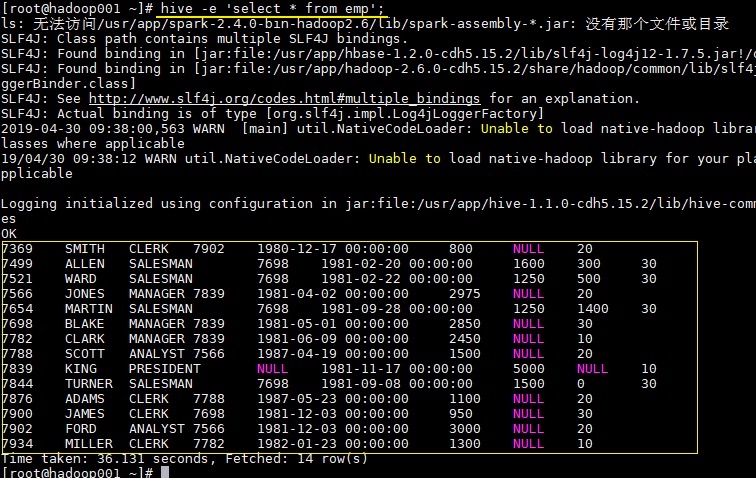
1.3 执行SQL命令
1.4 执行SQL脚本
1.5 配置Hive变量
1.6 配置文件启动
1.7 用户自定义变量

2. Beeline
2.1 HiveServer2
2.1 Beeline
2.3 常用参数
3. Hive配置
3.1 配置文件
3.2 hiveconf
3.3 set
3.4 配置优先级
3.5 配置参数
4. 参考资料
最后更新于